

What you get as an owner
- Manage panel — Update your shop’s details, photos, operating hours, and location
- Loyalty programs — Create digital stamp cards for your customers
- Online store — Sell coffee beans and merchandise through your shop page
- Messaging — Send updates and promotions to your loyalty card holders
How to claim your shop
1
Find your shop
Search for your coffee shop on petakopi.my. If your shop isn’t listed yet, you can add it from the Add Shop page.
2
Contact us
Reach out to us to request ownership of your shop. Let us know which shop is yours.
3
Verification
We’ll verify that you’re the rightful owner of the shop and assign ownership to your account.
After claiming
Once approved, you’ll see a “Manage” button on your shop’s page. This takes you to the Manage panel where you can:- Edit your shop’s details and photos
- Set up loyalty programs
- View and manage loyalty card holders
- Set up an online store
- Send messages to customers
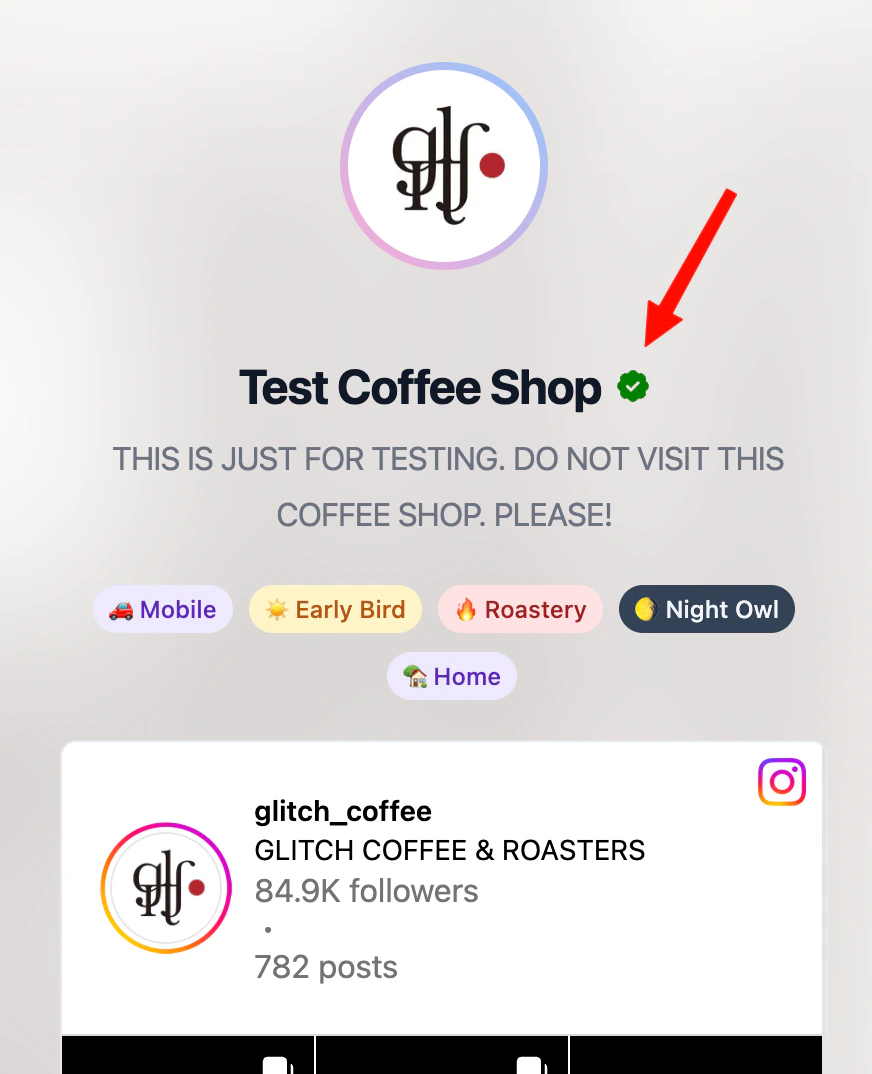
A claimed coffee shop with the verified badge