Create and manage loyalty programs from the Manage menu in the petakopi.my mobile app. (See the Quick Start guide for the end-to-end walkthrough.)
1
Go to Manage
Open the petakopi.my app, tap Home, then “Manage”, pick your shop from the list, and tap Loyalty.
2
Create a new program
Tap “New Program” and fill in the details:
Program name — e.g. “Buy 10 Get 1 Free”
Stamps required — How many stamps to complete the card (1–10)
Expiration days — How long cards stay valid (default: 365 days)
Terms & conditions — What the reward is and any rules
Active — Toggle on to allow customers to enroll
3
Skip or customize card appearance
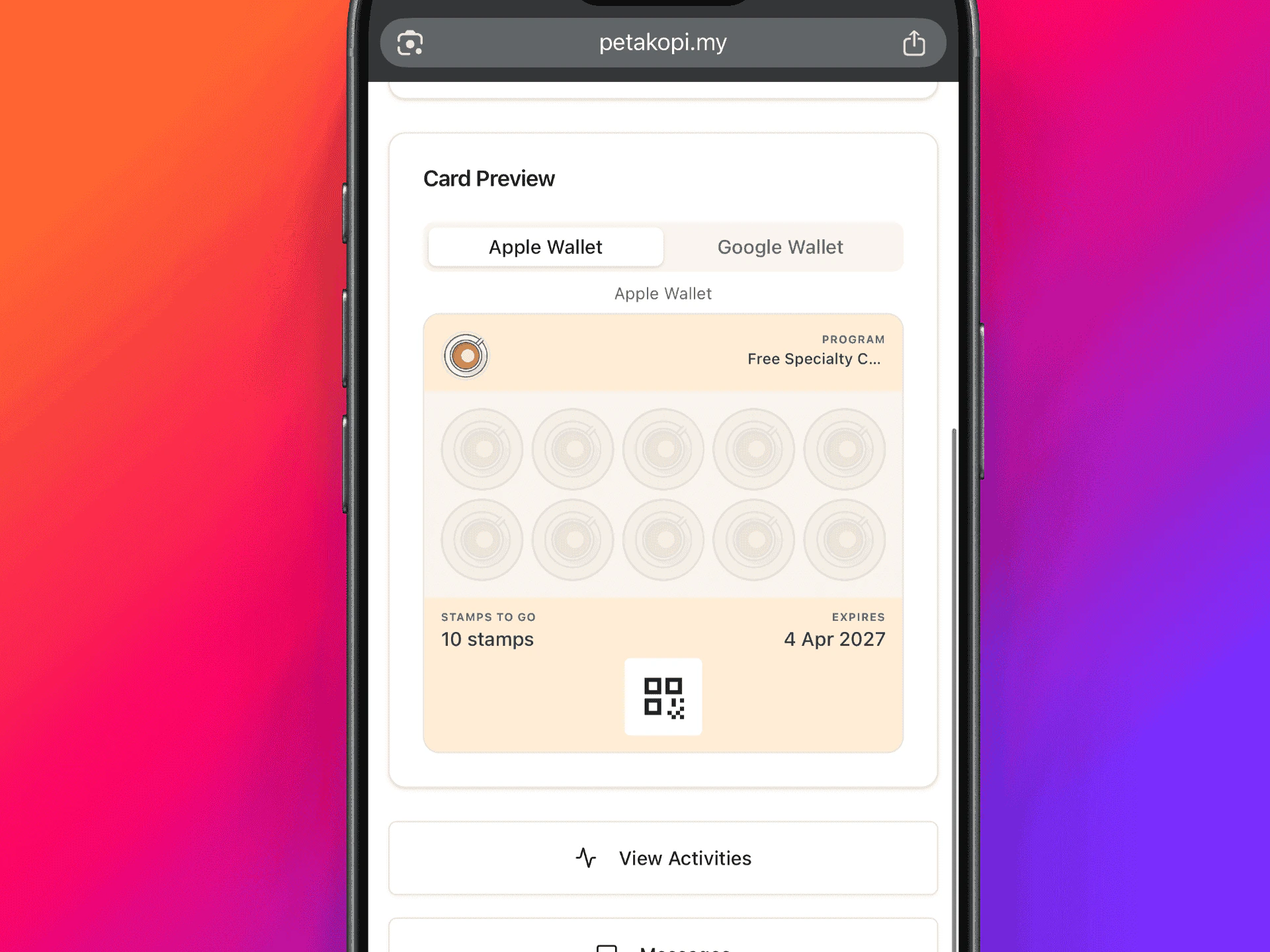
The form includes a Card Appearance section where you can customize wallet card colors. The defaults work well — you can always come back to customize later. See Customizing card appearance below.
4
Create the program
Scroll down and tap “Create Program”. Your program is now live and customers can start adding loyalty cards from your shop’s page.
You can run multiple programs at the same time — for example, a coffee card and a pastry card with different stamp counts and rewards.
You can customize how your loyalty card looks in Apple Wallet and Google Wallet. This is available when creating a new program or editing an existing one.Customize the following colors with a live wallet preview:
Background color — Main card background color
Text color (Apple only) — Text color on the card
Stamp area color (Apple only) — Color behind the stamp grid
Google Wallet text color is automatically calculated for contrast.
Card appearance with live Apple and Google Wallet previews
Apple Wallet cards update immediately after saving. Google Wallet cards reflect changes on the next stamp or when a new card is created.
Scan customer loyalty cards using the petakopi.my mobile app.
1
Open the scanner
Open the petakopi.my app and tap the Scan card on the Home tab.
2
Scan the customer's QR code
Point your camera at the customer’s loyalty card QR code. The customer can show their QR code from:
The petakopi.my website or app on their phone
Apple Wallet or Google Wallet
3
Award stamps
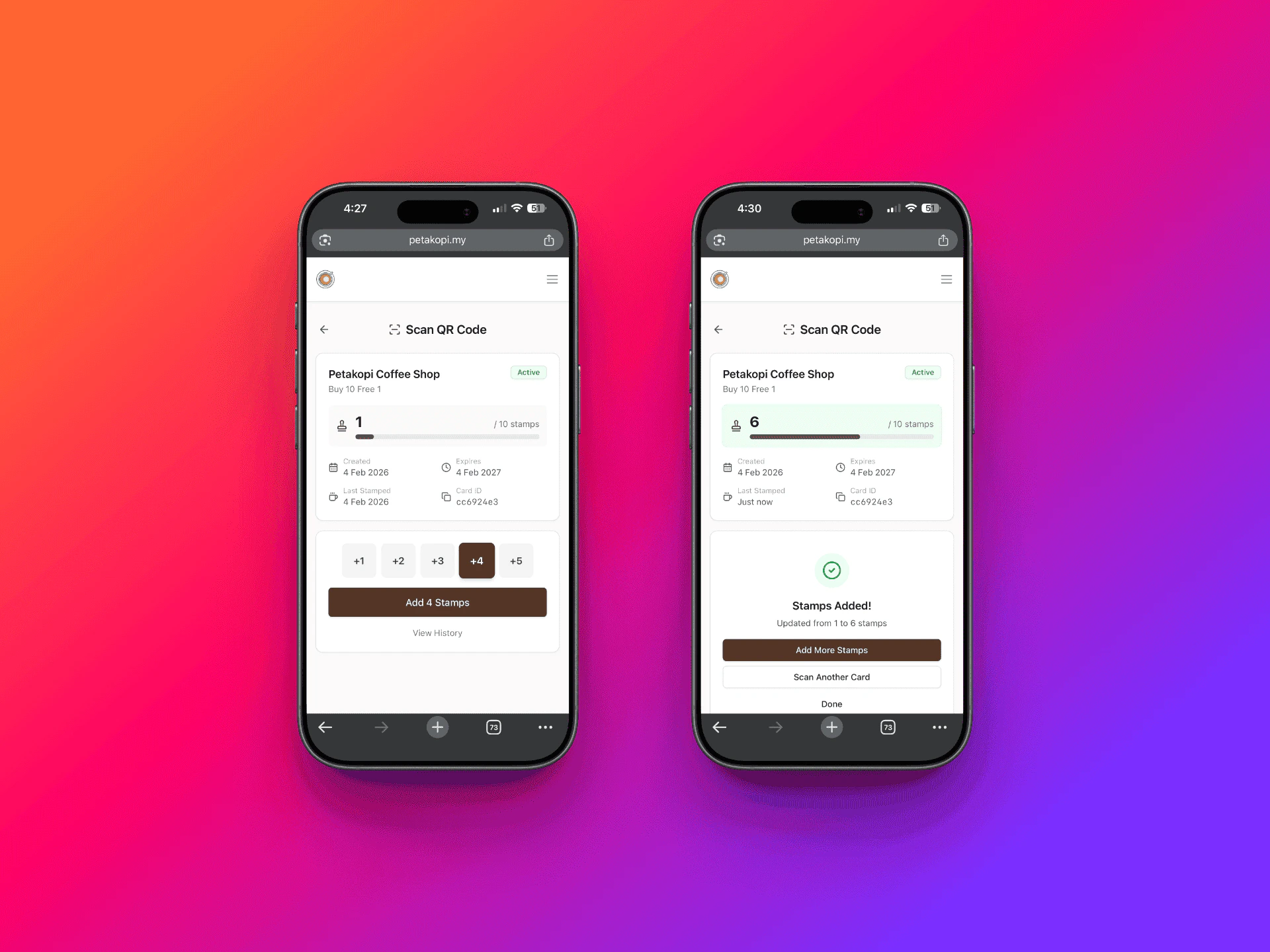
Select the number of stamps to award and tap “Add Stamps”. You’ll see a confirmation once the stamps have been added.
Select stamps to award and confirm
4
Redeem completed cards
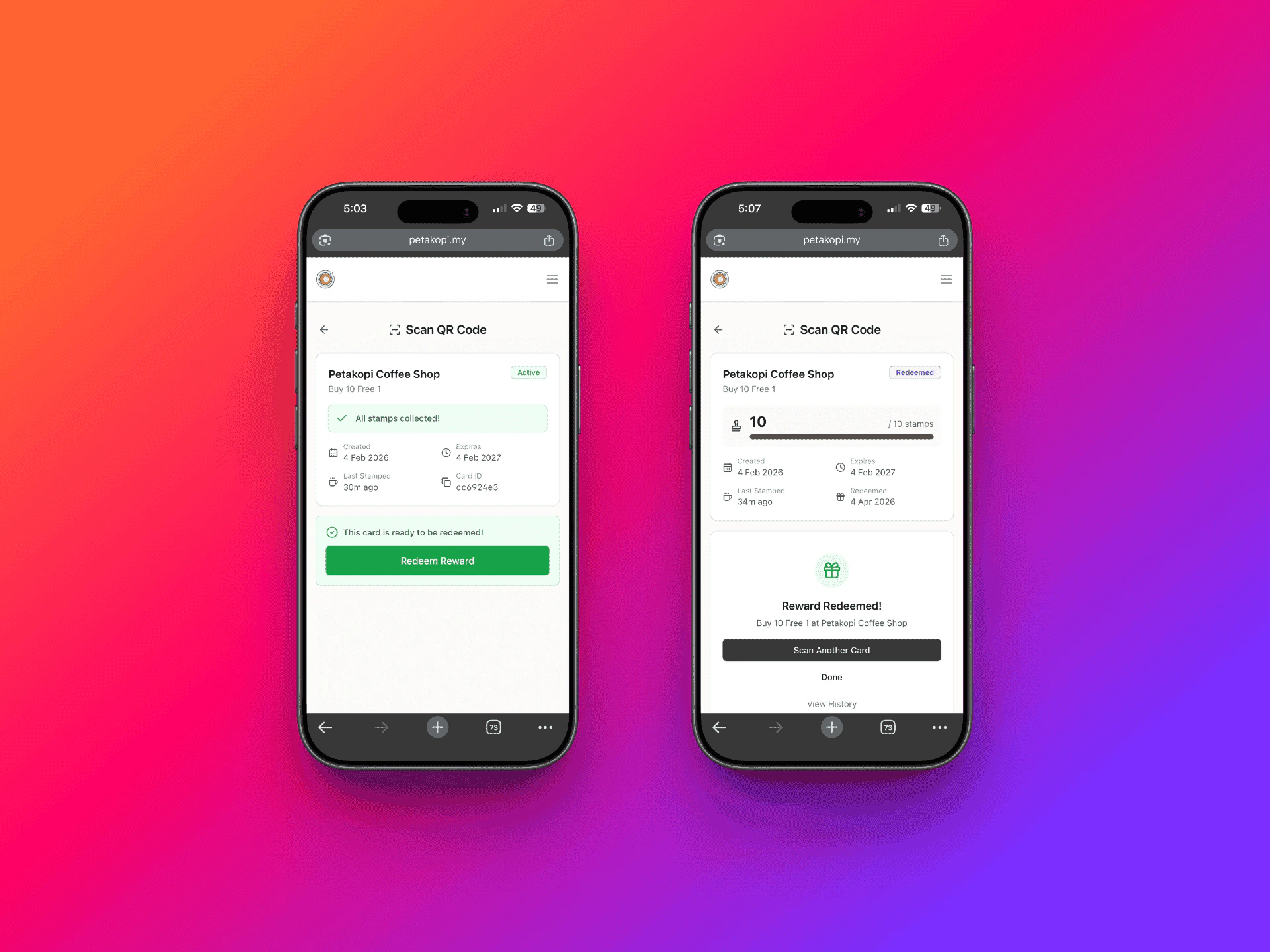
When all stamps are collected, the card will show a “Redeem Reward” button. Tap it to redeem the customer’s reward.
Redeem the reward when the card is full
After redeeming, the customer needs to visit your shop’s page on petakopi.my and tap “Get Loyalty Card” again to get a new card and start collecting stamps.
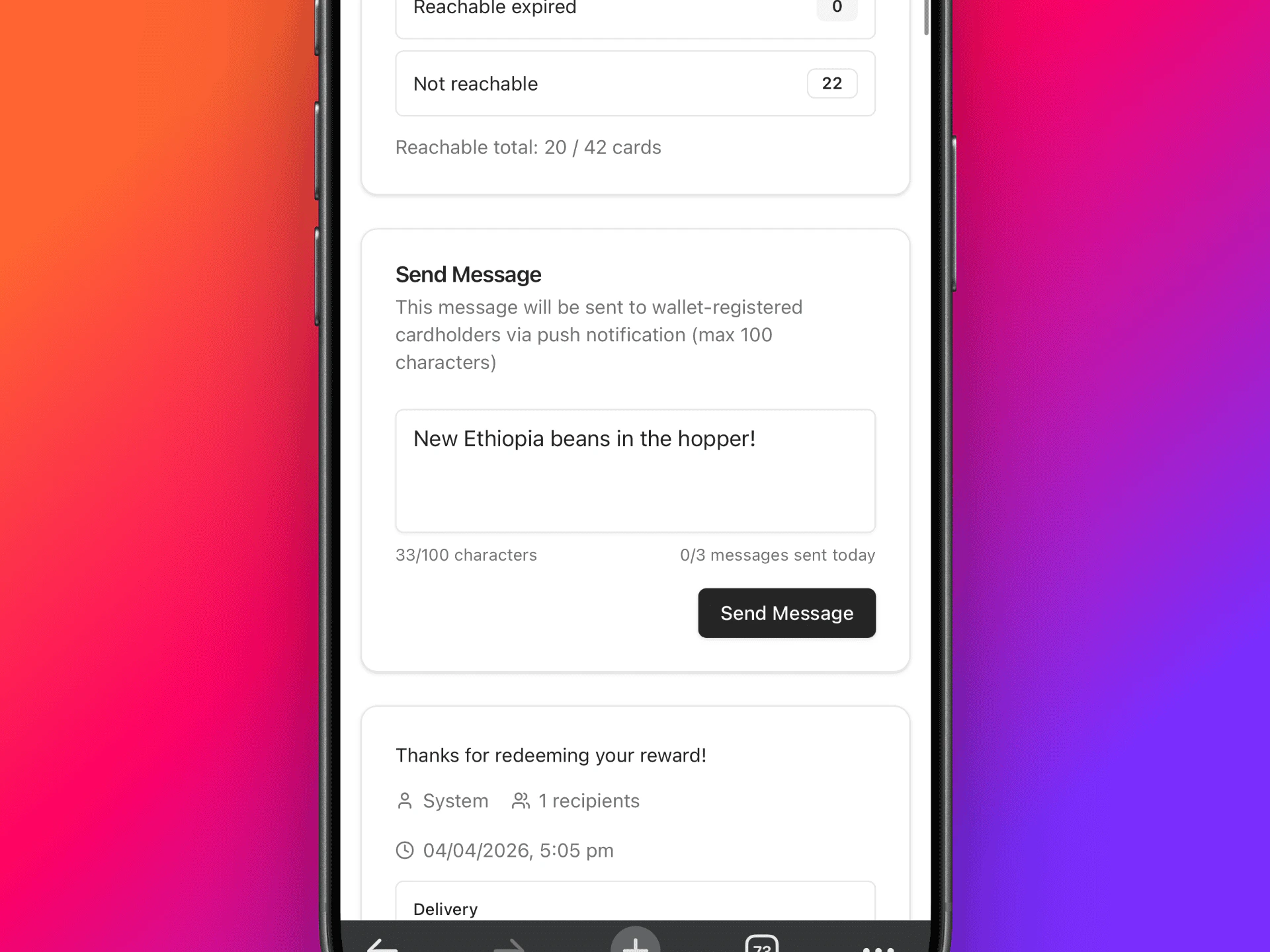
You can send messages to customers who hold your loyalty cards. This is useful for announcing promotions, new menu items, or special events.Messages are sent as notifications to your loyalty card holders through the petakopi.my app and website.
Display a QR code at your counter so customers can scan to get the loyalty card. See the QR template page to pick a design and request a print-ready file for your shop.